User Interface#
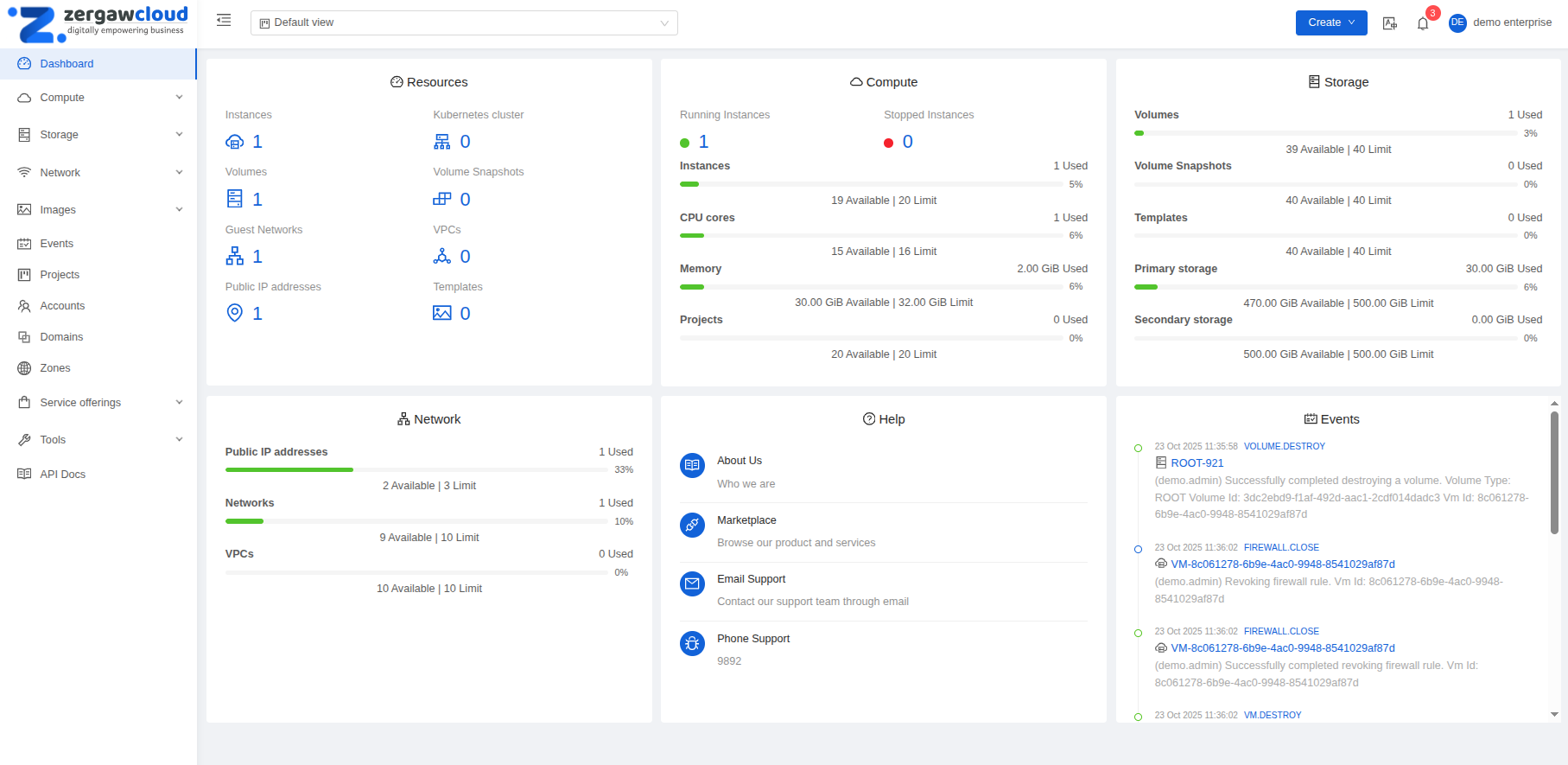
Zergaw CloudStack provides a web-based UI that can be used by both administrators and end Users. The UI is available in all modern popular browsers including Chrome, Firefox, Edge and Safari. The UI uses API auto-discovery to discover APIs allowed for a logged-in User and creates navigation and views based on that, and requires the following:
API discovery (listApis) enabled for all roles that must use the UI
Modern browsers that are ES5-compliant
Log In to the UI#
The URL to login to Zergaw Cloudstack UI is:
https://cloudstack.zergaw.com/client
You’ll see a login screen where you specify the following to proceed to your Dashboard:
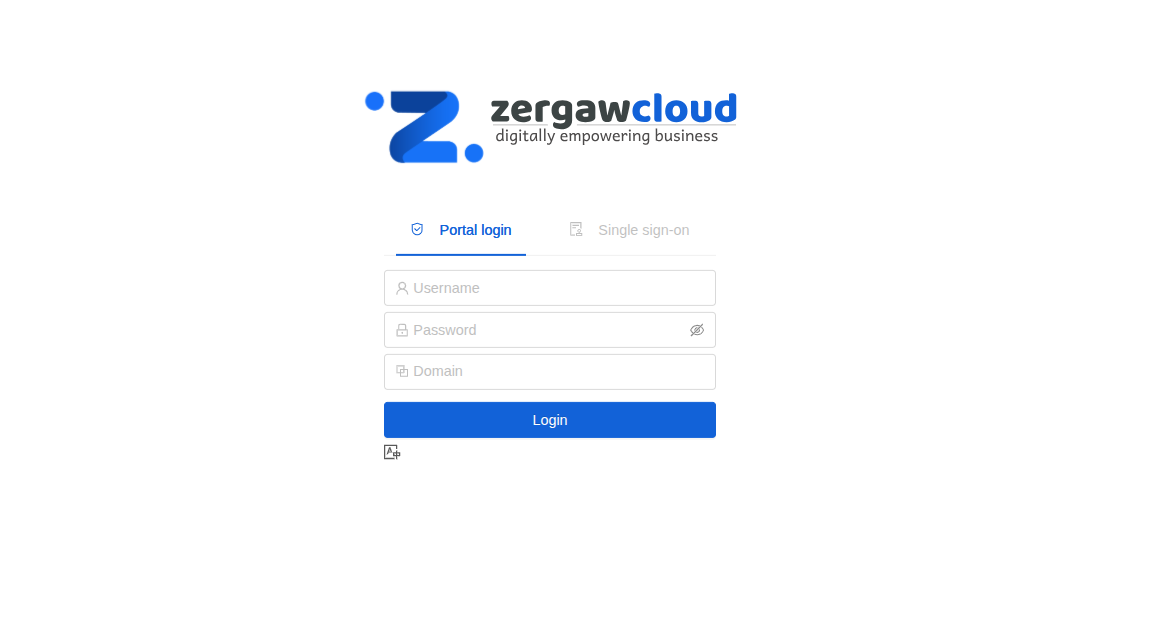
Username -> The provided User ID of your Account.
Password -> The password associated with the User ID.
Domain -> The provided domain of your tenancy. If you are a User in the sub-domains, enter the full path to the domain, excluding the root domain.
For example, suppose multiple levels are created under the provided domain, such as enterprise/xyz.com/hr. The Users in the enterprise/xyz.com domain should enter enterprise/xyz.com in the Domain field, whereas the Users in the enterprise/xyz.com/hr domain should enter enterprise/xyz.com/hr.
End User’s UI Overview#
Zergaw CloudStack UI helps Users of cloud infrastructure to view and use their cloud resources, including Instances, Templates and ISOs, data volumes and Snapshots, Guest Networks, and IP addresses. If the User is a member or administrator of one or more projects, the UI can provide a project-oriented view.